

Download LAIKA – AI‑Assisted Content Creation Tool for Writers
Overview
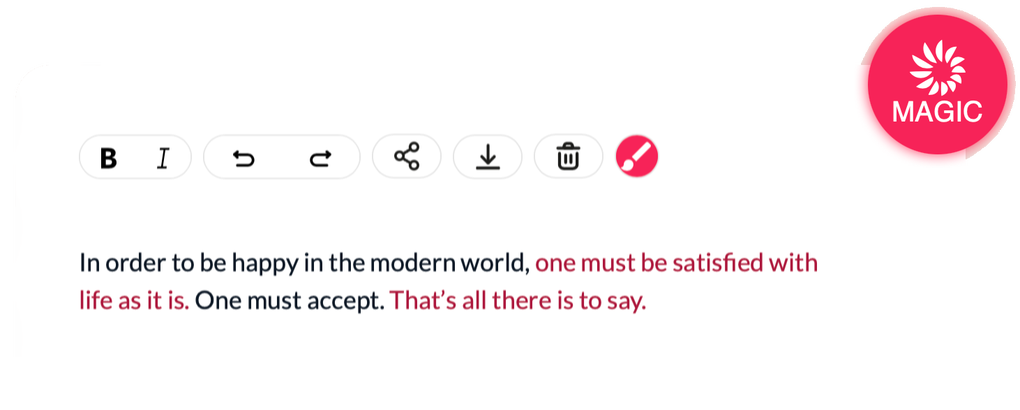
LAIKA is a browser‑based, AI‑assisted content creation platform that acts as a true “creative partner” for writers, marketers, and visual storytellers. Powered by predictive language technology, LAIKA can fill in the blanks, suggest fresh angles, and even generate original images that match the tone of your text. Unlike generic text‑generation bots that simply churn out content, LAIKA interprets the writer’s voice, learns from uploaded material, and offers context‑aware suggestions that keep the creative flow intact.
Whether you’re battling writer’s block, drafting a novel, or building marketing copy, LAIKA provides a seamless blend of human intuition and machine intelligence. The interface is clean, intuitive, and entirely cloud‑based, meaning you can start a session on a Windows laptop, switch to a Mac, and continue on an Android tablet without missing a beat. Because it runs in the browser, there’s no heavy installation, and updates are applied automatically, guaranteeing you always have the latest AI models and security patches.
In short, LAIKA is more than a smart word processor—it’s a collaborative workspace that elevates the quality and speed of your writing while keeping your unique style front and center.
Key Features & Benefits
- Predictive Writing Assistant: Real‑time suggestions that complete sentences, propose synonyms, and propose alternative structures based on your existing draft.
- Voice‑Learning Engine: Upload previous articles, blog posts, or manuscripts; LAIKA learns your tone, pacing, and preferred vocabulary to generate consistent output.
- AI‑Generated Imagery: Convert textual descriptions into original illustrations, perfect for graphic novels, blog headers, or social‑media visuals.
- Collaboration Hub: Share a live workspace with teammates, comment on suggestions, and lock sections for version control.
- Writer’s Block Buster: Prompt library with genre‑specific starters, plot twists, and character arcs to jump‑start creativity.
- Secure Cloud Storage: All drafts are encrypted in transit and at rest, complying with GDPR and CCPA standards.
- Cross‑Platform Accessibility: Works on Windows, macOS, Linux, Android, and iOS through any modern browser.
- Automatic Updates: New AI models and security patches are deployed instantly—no manual downloads required.
These features combine to create a workflow that reduces the time spent on repetitive drafting while preserving the author’s unique voice. The AI‑generated imagery module, for instance, allows writers to prototype visual scenes without leaving the writing environment, streamlining the pre‑production phase of graphic novels or marketing campaigns. The collaboration hub also means that editors can see AI suggestions in real time, accept or reject them, and leave contextual feedback—all within a single browser tab. This holistic approach makes LAIKA a powerful ally for solo creators and teams alike.
Installation, Usage & Compatibility
Getting Started – No Download Required
Because LAIKA is entirely browser‑based, the “installation” process is reduced to creating an account at laika.ai. After confirming your email, you’ll be directed to the dashboard where you can create a new project or import existing content. The onboarding wizard walks you through three simple steps: (1) upload or paste your source material, (2) let LAIKA analyze and build a digital “brain” of your style, and (3) start writing with AI‑powered suggestions appearing alongside your cursor.
How to Use LAIKA Effectively
Once inside the editor, you’ll notice a split‑screen layout: the left pane contains your draft, while the right pane displays AI suggestions, related research snippets, and image generation options. To accept a suggestion, simply press Tab or click the green checkmark. You can also customize the suggestion depth in the settings—choose between “Light,” “Balanced,” or “Creative” modes depending on how much autonomy you want the AI to have. For image generation, type a brief description (e.g., “a misty forest at dawn”) and click “Generate.” The AI will render a high‑resolution illustration that you can download or embed directly into your document.
System Requirements & Operating Systems
LAIKA runs on any device with a modern web browser (Chrome, Firefox, Edge, Safari) and an internet connection. It is fully compatible with Windows 10/11, macOS Monterey and later, Linux distributions with a GUI, Android 9+, and iOS 13+. Because processing happens on LAIKA’s secure servers, your local hardware only needs to handle basic rendering, making the tool accessible even on low‑spec laptops or tablets.
Security and Privacy
All data transmission is encrypted with TLS 1.3, and stored files are encrypted at rest using AES‑256. LAIKA adheres to GDPR, CCPA, and ISO/IEC 27001 standards, giving you confidence that your intellectual property remains confidential. Users can also enable two‑factor authentication (2FA) for an extra layer of account protection.
Pros, Cons, FAQ & Final Thoughts
Pros & Cons
- Pros
- Real‑time AI suggestions keep momentum high.
- No software download; works on any browser.
- AI‑generated images add visual depth without external tools.
- Robust collaboration features for teams.
- Secure cloud storage and compliance with major privacy regulations.
- Cons
- Requires a stable internet connection; offline mode not available.
- Free tier limits the number of AI‑generated images per month.
- Learning curve for customizing suggestion depth.
Frequently Asked Questions
Is LAIKA really free to use?
LAIKA offers a free tier that includes unlimited text suggestions but caps AI‑generated images at five per month. Paid plans start at $9.99/month and unlock unlimited images, priority processing, and advanced collaboration tools.
Can LAIKA work with existing documents from Word or Google Docs?
Yes. You can import .docx, .txt, or .md files directly into the editor. LAIKA will preserve formatting and then apply its AI analysis to the content.
How does the AI generate images without external APIs?
LAIKA integrates a proprietary diffusion model hosted on its secure servers. When you submit a description, the model renders a unique image in seconds, which is stored in your project folder.
Is my content safe from other users or the LAIKA team?
Your drafts are private by default. Only collaborators you invite can view or edit them. LAIKA staff cannot access your content unless you explicitly share it for support purposes.
What browsers are officially supported?
The latest versions of Chrome, Firefox, Edge, and Safari are fully supported. Older browsers may experience reduced performance or missing features.
Conclusion & Call to Action
LAIKA stands out in the crowded AI‑writing market by positioning itself as a genuine creative partner rather than a mere content generator. Its blend of predictive text, voice learning, and built‑in image synthesis makes it an all‑in‑one solution for writers who demand both speed and artistic control. While a constant internet connection is a prerequisite, the benefits of real‑time collaboration, secure cloud storage, and automatic updates far outweigh this limitation for most professional users. If you’re ready to break through writer’s block, accelerate drafting, and add visual flair without juggling multiple apps, LAIKA is the tool to try.
Start your free account today and experience how a smart AI partner can transform your writing workflow.
Rating: 4.5/5
Summary: LAIKA delivers a powerful, browser‑based writing assistant with unique image generation capabilities, making it an excellent choice for writers and content creators seeking an integrated AI partner.






